Pixify Studio  ·  The keywording tool for pros

You put effort into creating content. We put effort into making sure it’s found.

Drop in a shoot of photos or clips. Pixify Studio writes an agency-ready title, description and keywords for every file and puts them into the files themselves, ready for Adobe Stock, Shutterstock, Getty/iStock and the rest.
2.6 million files keyworded
Contributors in 70 countries
Files stored in the EU
Pixify Studio
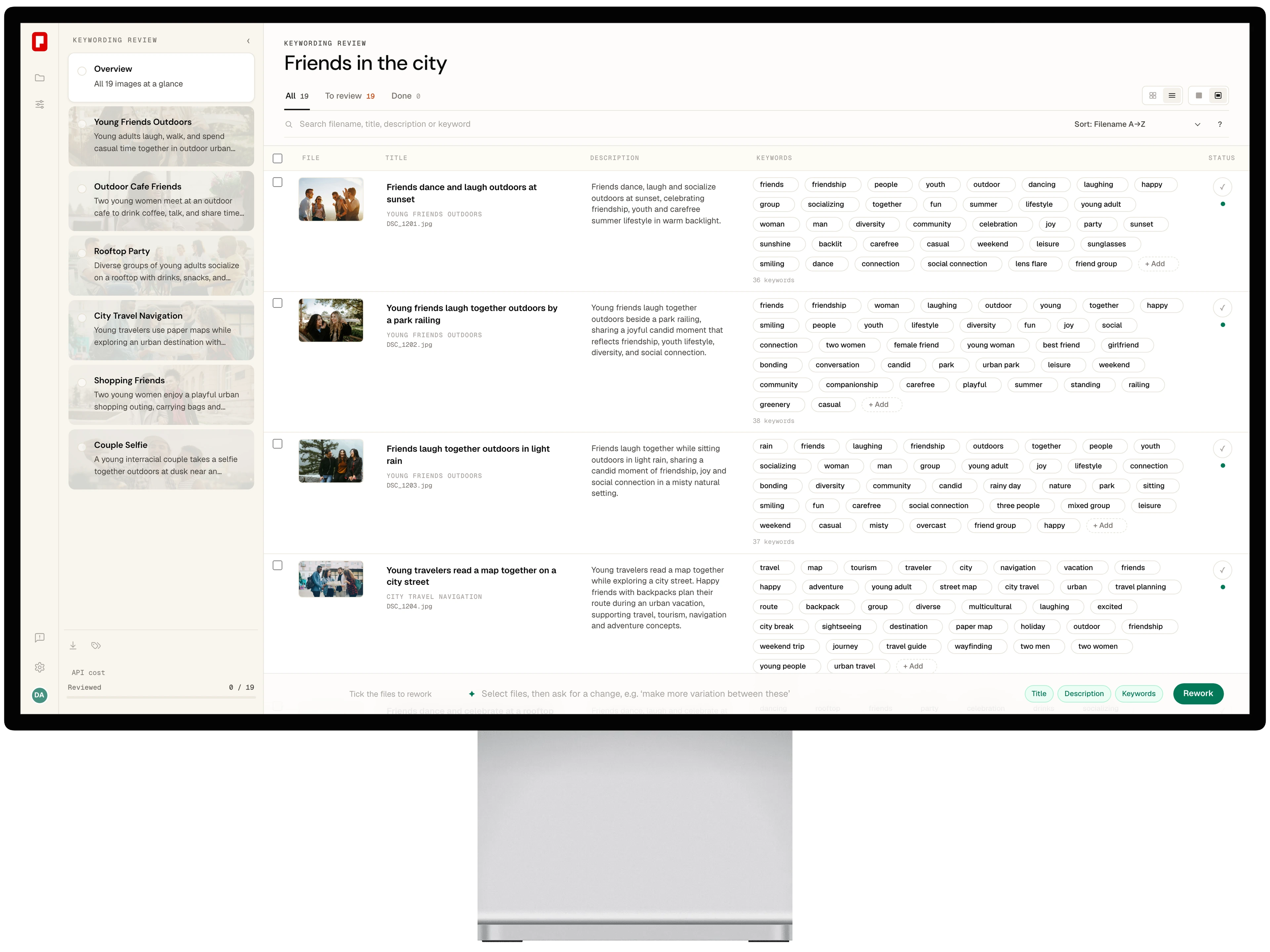
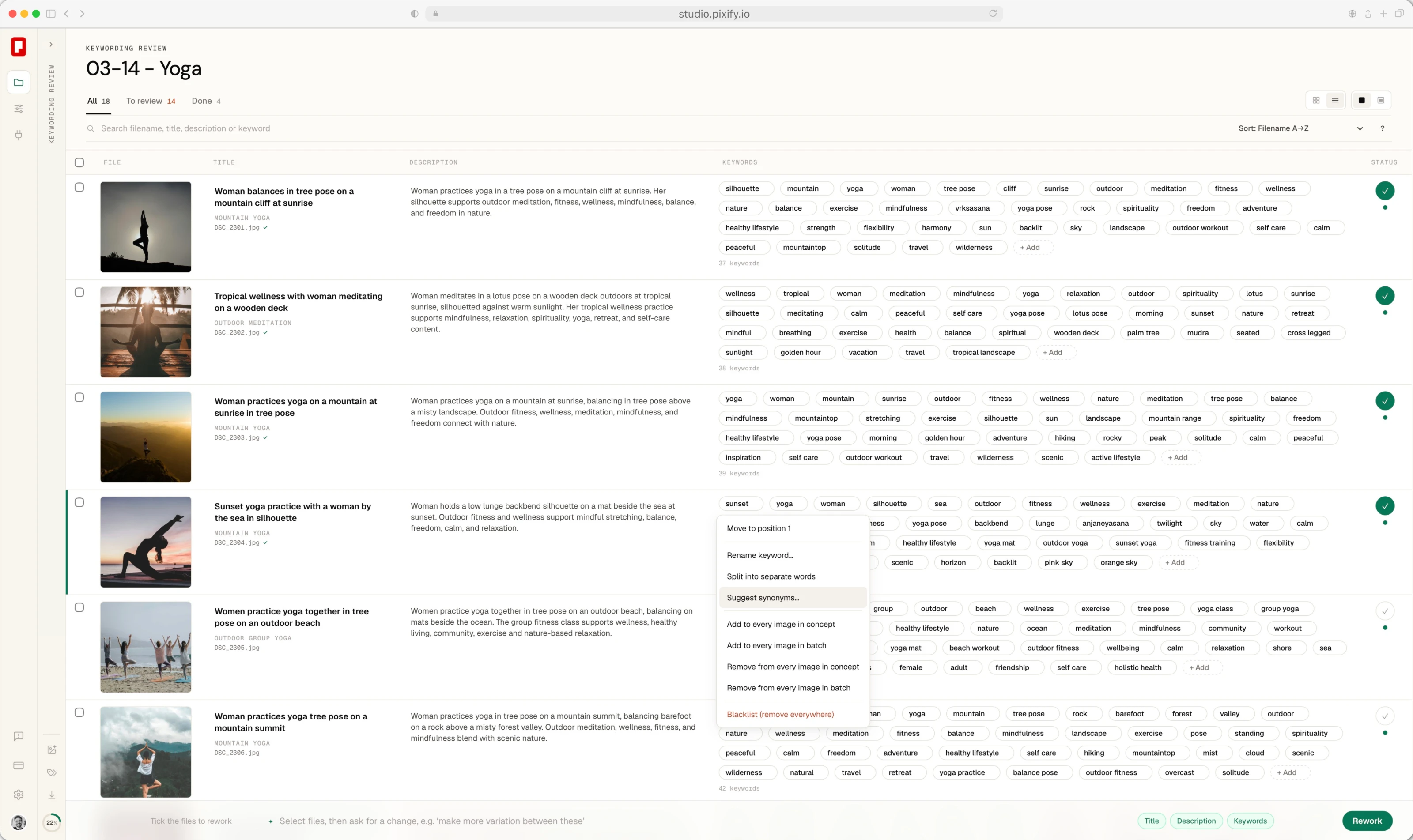
Pixify Studio writing titles, descriptions and keywords for a yoga shoot
From people who keyword every week

Don’t just take our word for it

How working photographers describe Pixify Studio.
"Pixify offers an easy-to-use system to drag and drop images onto their website and having them keyworded and tagges with title and description within seconds. You can also add custom-made specific instructions and tailor the output to your needs. I am stunned of how much work Pixify saved me over the last month and I will happily keep using it."
Robert Kneschke, stock content producer
Robert Kneschke
Stock Content Producer
"The most relevant tool in the industry by far. We have been using it since the beginning and we are already seeing the results from it. The team is constantly improving it, making it even better every day. I cannot imagine working without it.  Highly recommended!"
Dimitar, Qunica Studio
Dimitar
Qunica Studio
"Loving the AI keywording tool of Pixify to get metadata on all my photos. That saved up 50 hours at minimum. and will save dozens of hours more this year. This has made uploading photos to stock photo sites so much more easy."
Marcus Musashi, culture and travel photographer
Marcus Musashi
Culture & travel photographer
"You have REALLY made my life a lot simpler!"
Rob Campbell, Stocksy contributor
Rob Campbell
Stocksy contributor
What is new

Built for the last mile

The new Studio learns your standards, keeps your similar shots from competing, and writes the result into the files the agencies read.

Learns your style

PRO
Every correction you make teaches Studio your standards: blocked words, preferred terms and your own examples shape the next batch. What it learns stays with your team.

High-quality mode

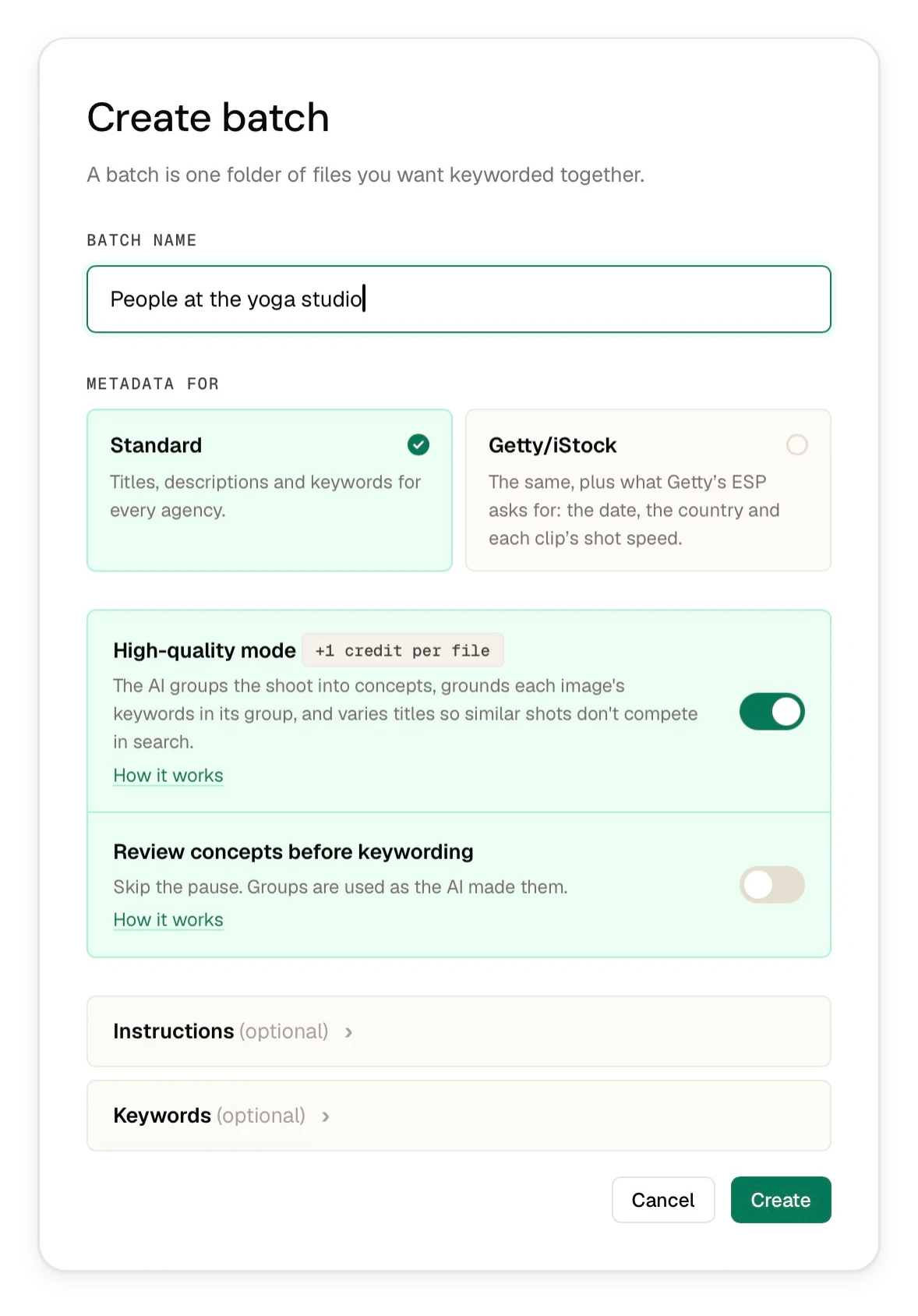
Studio groups a shoot into concepts, grounds every file's keywords in its group and varies near-identical titles, so your similar shots stop competing with each other in search. 2 credits a photo, your call per batch.

Getty mode

Keywords only from Getty's own vocabulary, the date, country and shot speed Getty asks for, and a poster frame saved for every clip. 1 credit more per file.

Written into your files

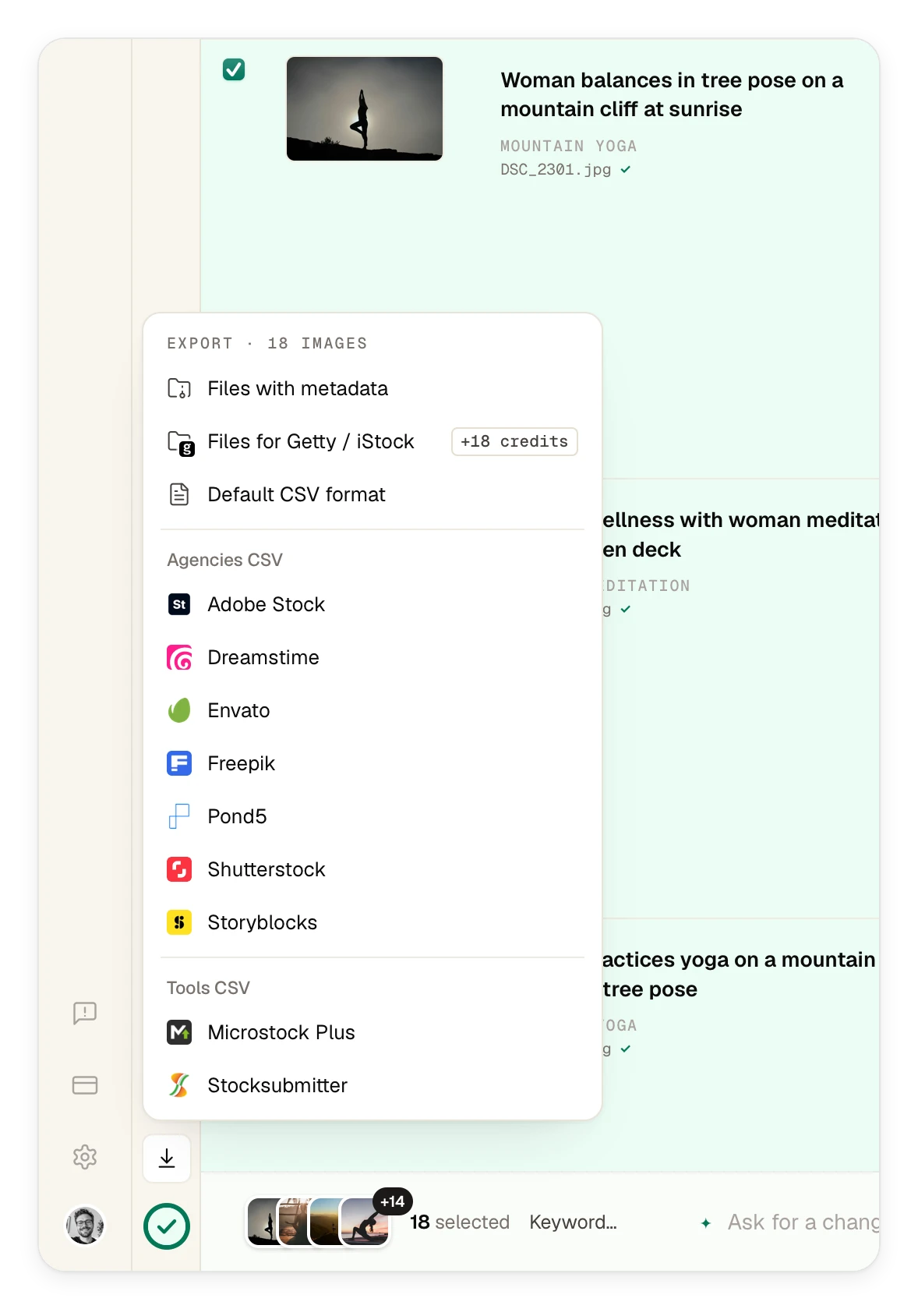
Export your JPEGs and clips with the title, description and keywords in the file's own metadata, read by every agency's uploader. Or a CSV made for Adobe Stock, Shutterstock, Dreamstime, Pond5, Freepik, Envato or Storyblocks.

A draft you control

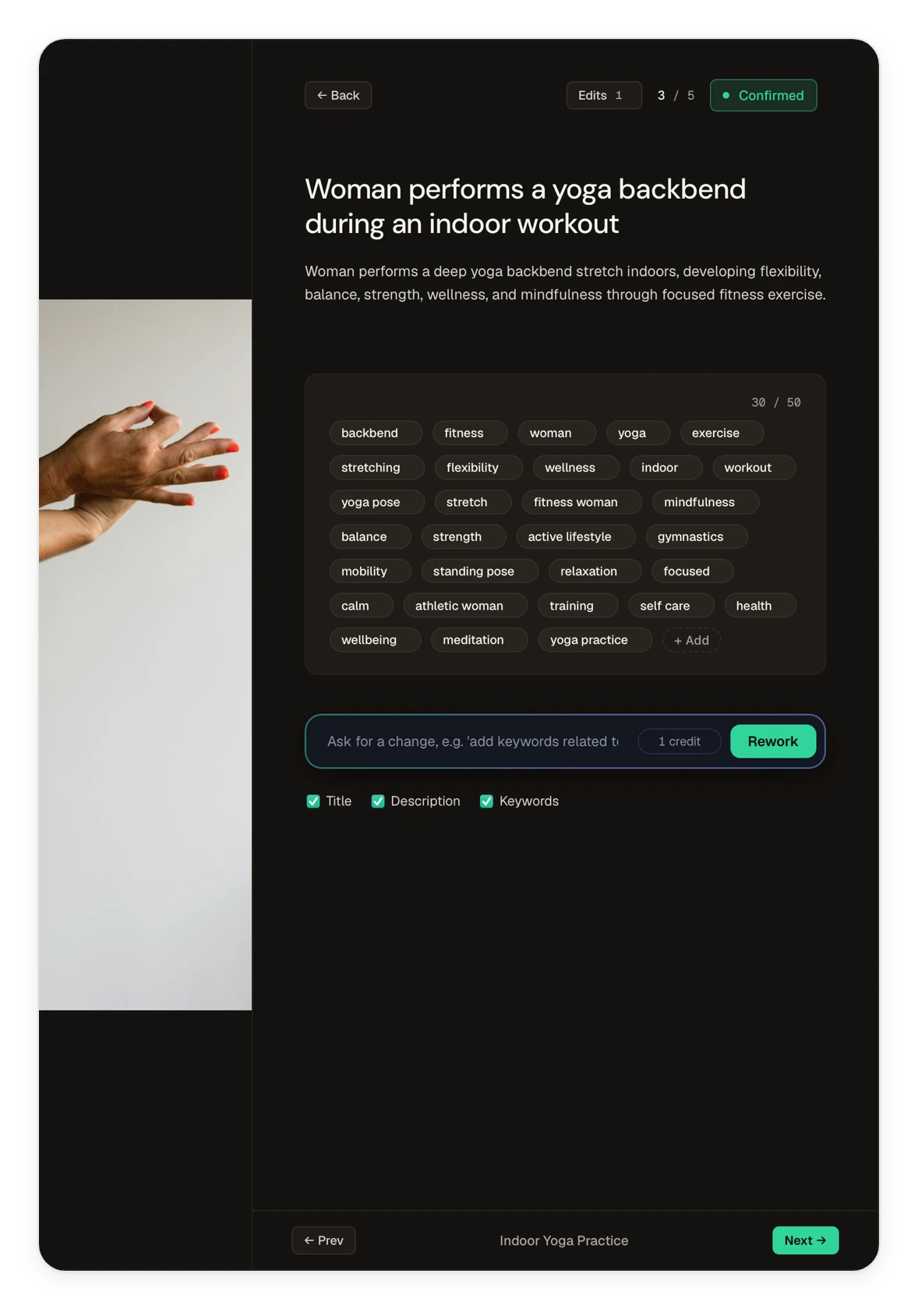
Every title, description and keyword lands in one fast editor. Edit inline, move through files from the keyboard, rework a file with a note, and undo anything. Nothing is written into your files until you say so.

Rules and instructions

Tell a batch what the shoot is about, which keywords every file must carry, and what to never say. Set your team's rules for title and description length once, and they apply to every batch.

Upload a whole shoot

Drag in thousands of photos and clips at once, up to 500 MB a photo and 10 GB a clip. Big files go up in resumable pieces, so a dropped connection picks up where it left off.

Works where you work

PRO
Keyword inside Lightroom Classic with the plugin, send a shoot by FTP from a camera or a phone, or start jobs from your own programs through the API. All spend the same credits.

Stored in the EU

Your files live on our own servers in the European Union. Originals are kept for 30 days after you last worked on a batch; your titles, descriptions and keywords are kept for good.

Export generated metadata to the most popular agencies

Make it yours

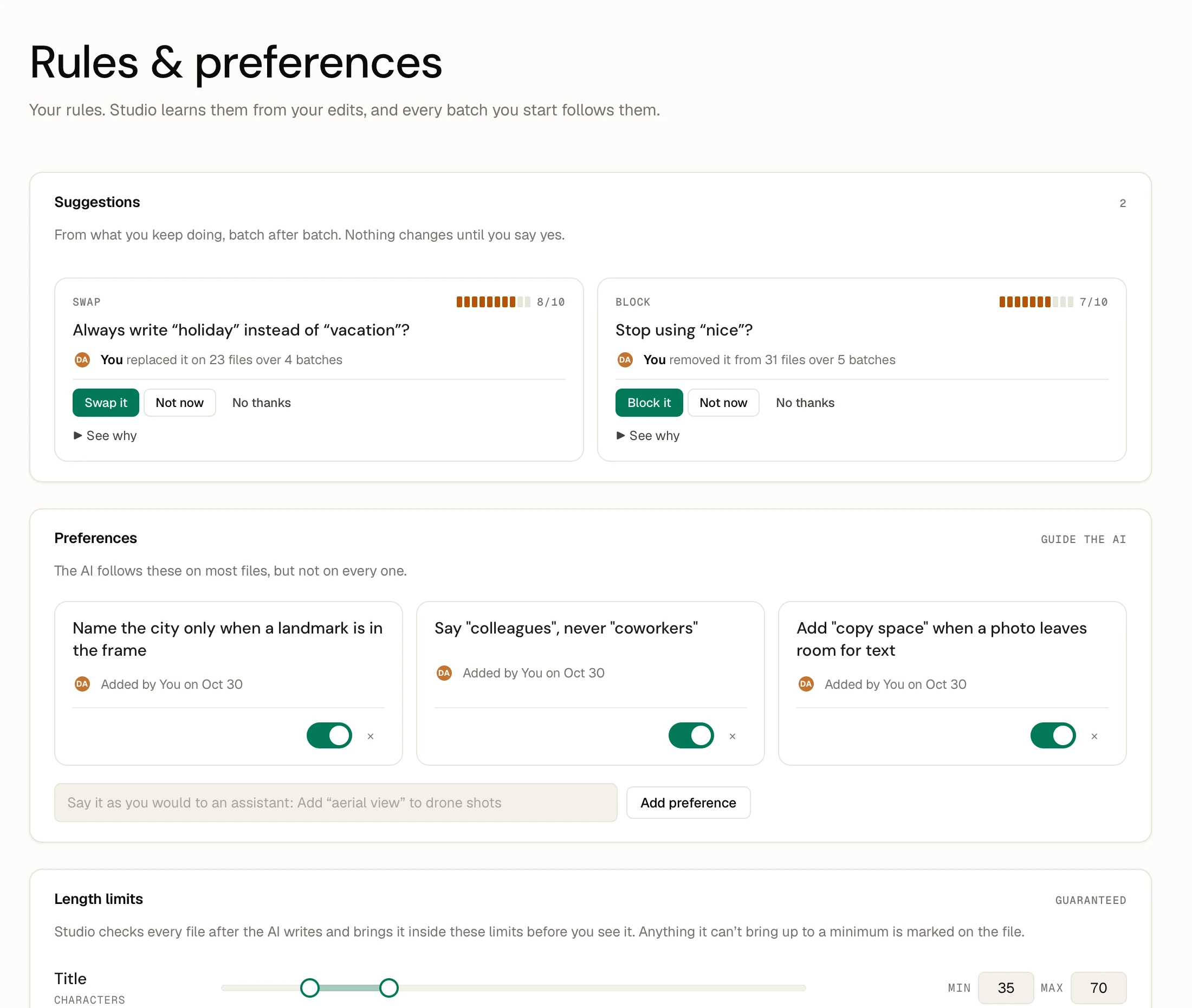
Give a batch its instructions, add keywords every file must carry, and set your team's rules for titles, descriptions and keywords. On the Pro plan Studio also learns from your corrections and applies them to your next batch.
Pixify Studio rules and preferences, with suggestions learned from your edits
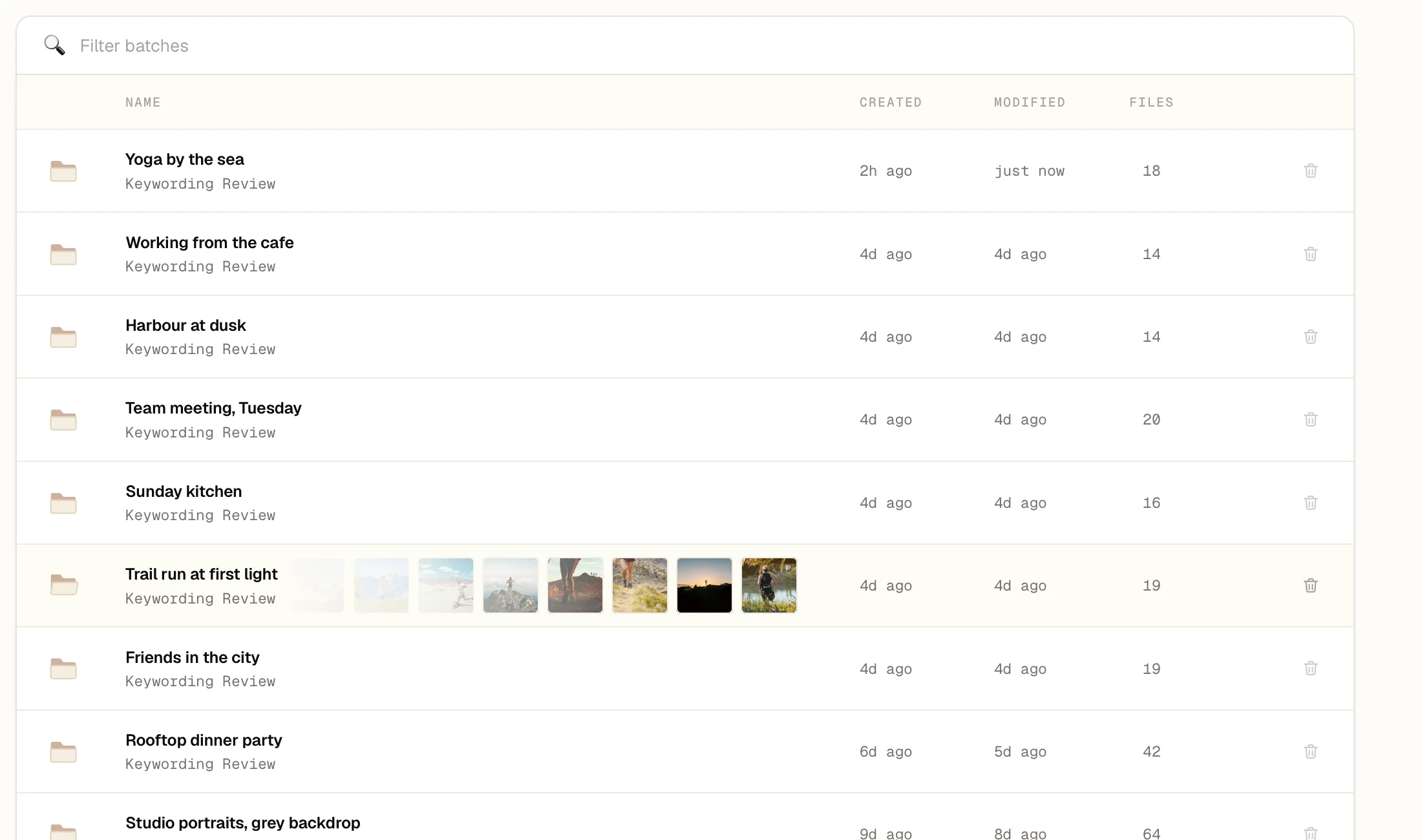
Pixify Studio batches list with a dozen shoots

Room for every shoot

Upload what the job needs: up to 500 MB a photo and 10 GB a clip, thousands at a time.
Studio keeps your originals for 30 days after you last worked on a batch, and keeps every title, description and keyword for good.
Pixify
Pixify Studio

Start with 100 free credits

Join contributors in 70 countries and spend more time
shooting than describing.
Add a card to verify your account. Nothing is charged, and the credits never expire.
“

[...] this is lightyears ahead of competitive tools. I’ve tried most AI offerings for tagging and found them very lacking but the keywording is excellent and the titles and descriptions have been very well written and so detailed.

- Madeleine Deaton
Plans

Simple plans, one credit price

Light and Pro each include 100 credits a month, with the same credit packages on top.
Yearly plans cost ten months. Top-up credits cost 5¢ each on any plan and never expire.

Free to start

$0
Try it on your own files first.
100 free credits once you add a card. Nothing is charged.
20 credits to try it before you add one
Free credits never expire
Get 100 free credits

Light

$5/month
Billed monthly. Change your credits any time.
Everything you need to keyword and deliver to every agency.
100 credits a month, or pick a package
AI titles, descriptions and keywords
High-quality mode
Getty/iStock keywords
Video
Batch instructions and extra keywords
Start with Light
Pixify

Pro

$35/month
Billed monthly. Change your credits any time.
Studio learns your standards and holds every batch to them.
100 credits a month, or pick a package
Everything in Light
Learns your style
Unused credits roll over a month
Lightroom plugin
FTP upload
API access
Team members
Start with Pro
Prices in USD, VAT included where it applies. 14 days to change your mind on a first payment if under a fifth of its credits are used.

Need more credits a month?

Pick a credit package on either plan. A package costs the same on Light and Pro: the plan price plus the credits.

Credits a month
Light
Pro
100
$5
$35
600
$19
$49
1,600
$39
$69
3,100
$59
$89
6,100
$115
$145
8,100
$149
$179
What a credit buys. 1 credit a photo, 2 in high-quality mode, 1 more per file for Getty/iStock keywords, and 1 per started 5 seconds of video.
Yearly plans. A year costs ten months, and the year's credits are yours from day one.
Top-ups. 5¢ a credit from 100, on any plan, and they never expire.
Leave or pause. Cancel any time, or pause your plan for 30 days.

Studio FAQs

What is Pixify Studio?
A keywording studio for stock photographers and videographers. Upload a shoot and Studio writes an agency-ready title, description and keywords for every photo and clip. You review and correct them in a fast editor, then export the files with the metadata written in, or a CSV for each agency.
What are credits?
Credits pay for Studio's work. A photo costs 1 credit on the standard pass and 2 in high-quality mode, which groups a shoot into concepts and varies near-identical titles so your similar shots stop competing with each other.
Getty/iStock keywords cost 1 credit more per file. Video costs 1 credit per started 5 seconds.
Does Pixify Studio support video?
Yes. Upload MP4 or MOV clips up to 10 GB each. Studio watches the whole clip, writes its title, description and keywords, and can write them into the file. The Getty/iStock export adds the shot speed and a poster frame for ESP.
Can I upload entire folders?
Yes. Drag a folder onto the upload page, and add more photos to a batch later. On the Pro plan you can also send files by FTP from a camera, a phone or any FTP app; each delivery arrives as a batch of its own.
When are my files deleted?
Thirty days after you last worked on a batch, Studio deletes its uploaded originals and video previews to free space. Every title, description and keyword stays, with the thumbnails, so the batch still opens, edits and exports CSV. Export the files with their metadata before then. You can also delete a batch yourself at any time.
Can I get a refund?
Yes, within 14 days of your first payment, if you have used less than a fifth of the credits it bought. After that a plan simply runs to the end of the month you paid for; you can cancel at any time.
Will my files be used to train the AI?
No. The model providers Studio uses do not train on your files. What Studio learns from your own corrections stays with your team and is used only on your batches.
Is there an API?
Yes. The customer API is part of the Pro plan. Make a key under Connections in Studio and start jobs from your own programs; the Lightroom Classic plugin uses the same key.
What is the API pricing?
The same credits at the same prices. An API job costs exactly what the same batch would cost in Studio.
Where are my files stored?
On our own servers in the European Union, with previews and exports in EU object storage. Card details go to Stripe and never reach Studio.
Is there a Lightroom plugin?
Yes, for Lightroom Classic, on the Pro plan. Select photos, press Generate, and the titles, descriptions and keywords come back into Lightroom's own fields, with nothing written until you press Apply.
How do the free credits work?
Add a payment card and your new account gets 100 credits. The card is stored with Stripe and never charged without your say-so, and the credits never expire. When they are used up, pick a plan.